
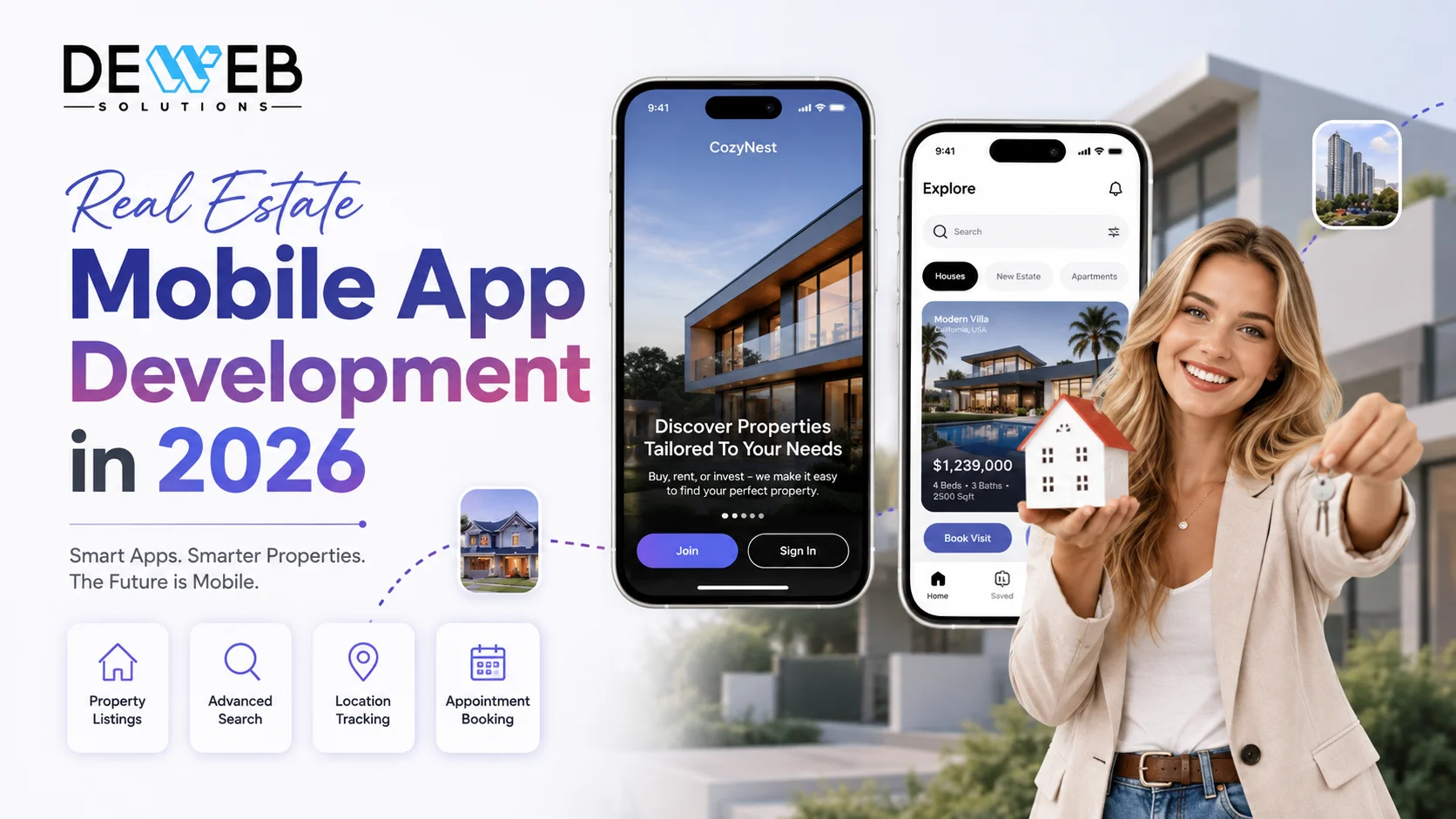
A real estate mobile app is a tool that lets buyers, renters, agents, and brokers search, tour, message, and close deals from their phone instead of a desktop or a phone call. A basic app costs $45,000–$80,000 and takes 4–6 months to build. A full-featured app with real listing data and AI tools costs $150,000–$260,000+ and takes 10–14 months.
- ✓A real estate app really needs three separate "sides": one for buyers, one for agents, and one for the broker running the business. Most quotes only price the buyer side, which is why connecting to real listing data can quietly add $20,000–$60,000 nobody budgeted for.
- ✓The industry group behind real estate data standards retired the workgroup that maintained the old listing-data connection method (RETS) in early 2025, pointing MLS providers toward the newer, more secure Web API standard instead.
- ✓A big industry-wide settlement in 2024 changed how agents get paid and requires buyers to sign an agreement before touring a home, so your app's tour-booking feature has to account for that step now.
- ✓Zillow's own AI price estimator is accurate to within about 1.9% for homes actively for sale, but that error grows to around 6.9% for homes that aren't listed — enough to be off by tens of thousands of dollars on a typical home.
- ✓Baby Boomers made up 42% of all home buyers in 2026, more than any other generation, yet most app designs still aim mainly at younger, tech-savvy buyers.
- A real estate app isn't one app, it's really three: one for buyers or renters, one for agents, and one for the broker or owner running the business. Plan and budget for all three from the start.
- Connecting an app to real, live property listings (rather than listings you enter yourself) is the single most underpriced part of most quotes, and it can add $20,000–$60,000 to the cost.
- A major change in how MLS listing data is shared happened at the very end of 2024, so any developer still using the old method is building on something that no longer works.
- A 2024 legal settlement changed how buyers work with agents, and it means your app's tour-booking and messaging features need an extra step built in that didn't exist before.
- AI-powered home value estimates are useful, but they get noticeably less accurate for homes that aren't currently for sale, so it's worth showing a range instead of one exact number.
- A real estate app typically costs $45,000 to $80,000 for a simple version, and $150,000 to $260,000 or more for a full version with live listings and AI features.
- After launch, expect to spend 15–20% of the original build cost every year on updates, and expect to add new features once real agents and buyers start using the app and asking for changes.
- What Is Real Estate Mobile App Development and Why Does It Matter in 2026?
- How Big Is the Real Estate Industry in the US?
- What Is the Need for Real Estate Mobile Application Development?
- What Are the Real Benefits of Real Estate Mobile App Development?
- What Are the Different Types of Real Estate Mobile Apps?
- What Is IDX/MLS Integration and Why Does It Change Your Architecture?
- How Has the NAR Settlement Changed What a Real Estate App Must Do?
- What Features Does a Real Estate Mobile App Need in 2026?
- How Is AI Transforming Real Estate Apps — and Where Does It Create Risk?
- What Is the Best Tech Stack for Real Estate App Development?
- How Is a Real Estate App Built Step by Step?
- How Much Does Real Estate App Development Cost in 2026?
- How Long Does It Take to Build a Real Estate App?
- 6 Real Estate App Development Mistakes That Kill Projects
- Why Choose DeWeb Solutions for Real Estate Mobile App Development?
- Conclusion
- Frequently Asked Questions
Real estate mobile app development is no longer a side project for brokerages — it's the reason a buyer finds your listings first, or scrolls right past them to a competitor's app instead. I've talked with agents and brokerage owners at every stage of this, from a two-person team building their very first app to companies running large platforms with listings pouring in from dozens of sources, and the story is always the same. The ones who succeed plan things out properly before they start building. The ones who struggle rush into building a nice-looking app, launch it, and only then discover a problem they should have caught on day one.
This guide walks you through everything you actually need to know about real estate mobile app development in plain English: what it is, why it matters right now, what it should include, what it really costs, and the mistakes that quietly sink most projects.
What Is Real Estate Mobile App Development and Why Does It Matter in 2026?
A real estate mobile app is simply a tool on someone's phone that lets them search for homes, talk to an agent, and manage the buying, selling, or renting process, without needing to sit at a desktop computer or wait for a callback. Real estate mobile app development is just the work of building that tool. In 2026, this matters more than ever, because almost everyone now starts their home search on their phone, not on a website they type into a browser.
Think about how house hunting used to work. You'd call an agent, wait for them to email you a list of homes, drive around neighborhoods looking for "For Sale" signs, or flip through a newspaper listing section. Today, a buyer sitting on their couch can open an app, see a new listing the moment it hits the market, take a video walk-through of it, and message an agent, all within the same five minutes. That shift alone is why real estate businesses can't treat a mobile app as a "nice to have" anymore.
I've noticed the same pattern again and again with the agents and brokerage owners I talk to. The businesses that are struggling are usually the ones still relying only on a website, or a listing on a big portal, hoping buyers happen to stumble across them. The businesses that are thriving have their own app, or at least a fast, mobile-friendly way for buyers to reach them directly, simply because that's where their customers already are.
There are three simple reasons real estate apps matter so much right now.
People search on their phones, not their computers. Whether someone is standing in their kitchen at 9 PM or waiting in line for coffee, they're checking new listings on their phone. If your business doesn't show up cleanly on that small screen, in that exact moment, you've already lost that buyer's attention to someone who does.
Buyers expect instant answers, not "let me get back to you." People are used to ordering food, booking a ride, and paying bills instantly from an app. They now expect that same speed from a real estate business too, whether that's a quick reply to a question, an instant price estimate, or a same-day tour booked in a few taps.
The rules of the industry changed, and apps have to keep up. In the last couple of years, some real changes happened in how agents get paid and how buyers work with them. Any real estate app built today has to be designed around those new rules, not the old ones. I'll explain exactly what changed, in plain English, a little further down this guide.
How Big Is the Real Estate Industry in the US?
The real estate technology industry is genuinely huge, and it's growing fast, which is exactly why so many new apps are showing up in this space in 2026. In simple numbers, the market for real estate technology, often nicknamed "PropTech," short for property technology, was worth about $21.7 billion in 2026. It's expected to more than double to $48.5 billion by 2033.
That growth shows up directly in how people search for homes today, too. Buyers aren't just occasionally glancing at their phones during a home search anymore — for most people, the phone has become the main tool they use from start to finish.
In plain terms: seven out of every ten buyers pull out their phone at some point during their home search, and nearly half of all buyers start that search online rather than through a yard sign, a print ad, or a phone call to an agent. If your business isn't easy to find and use on a phone, you're effectively invisible to a huge share of the people who are actively buying homes right now.
What Is the Need for Real Estate Mobile Application Development?
The need for real estate mobile app development comes down to one simple problem: the old way of buying, selling, and renting property is too slow and too scattered for how people actually live today. A mobile app fixes that by putting everything a buyer or agent needs, listings, messages, scheduling, and paperwork, into one place they already carry in their pocket.
Here are the everyday problems that make a dedicated app necessary, not just nice to have:
- Listings are scattered everywhere. A buyer today might check five different websites and three different apps just to feel like they've seen "everything" available in their price range. That's exhausting, and a lot of buyers give up and go with whichever business made things easiest, not whichever business had the best property.
- Driving around to see homes wastes everyone's time. Before a buyer commits to an in-person visit, they want to "walk through" a home virtually first. Without good photos, video, and virtual tours built into an app, buyers either skip a great property by mistake, or waste a Saturday touring a home that was never right for them.
- Buyers expect a reply in minutes, not days. If someone messages about a listing and doesn't hear back quickly, they've usually already moved on to the next option by the time you respond. A slow reply isn't just annoying, it's a lost deal.
- Agents lose track of leads without a proper system. When inquiries come in through five different channels, texts, calls, emails, and social media messages, it's incredibly easy for a promising buyer to fall through the cracks. A dedicated app keeps every conversation and every lead organized in one place.
- Buyers don't fully trust what they see online. Outdated listings, photos that don't match reality, and prices that are no longer accurate all chip away at a buyer's trust. An app that keeps listings fresh and accurate builds the kind of trust that turns a browser into an actual buyer.
- Paperwork still slows everything down. Disclosures, agreements, and offers that require printing, signing, and scanning add days to a process that could take minutes. Buyers and agents both want to sign and send documents from their phone, not a fax machine.
Put simply, a real estate mobile app doesn't just make a business look modern. It removes the everyday friction that causes real buyers to give up, get frustrated, or walk into a competitor's open house instead of yours.
What Are the Real Benefits of Real Estate Mobile App Development?
Real estate mobile app development pays off in ways buyers, agents, and brokerage owners can all feel directly, faster access to accurate listings, more visibility for every property, and day-to-day operations that a plain website simply can't match.
Virtual tours, good photos, and always-updated listings let a buyer look at a property well outside office hours. That matters a lot, since most buyers now search from their phone at some point, often late at night or during a lunch break, not just during business hours.
Instant notifications about new matching listings and simple in-app messaging shrink the gap between a buyer's interest and an agent's reply, from hours down to minutes. In a fast-moving market, that speed alone can be the difference between winning and losing a deal.
A well-built app doesn't just show listings, it can also share them out to partner websites and portals, putting a property in front of far more buyers than your own app's users alone.
Built-in market information, like recent nearby sales and how long homes are sitting on the market, helps agents have honest, confident pricing conversations instead of relying on a gut feeling.
Moving disclosures, agreements, and offers into one place where they can be signed from a phone removes the back-and-forth email chains and printer runs that slow down closings.
A dedicated, fast, well-designed app makes a brokerage stand out next to competitors who are still relying on a plain website or a listing buried inside a third-party portal.
Featured listing spots, premium tools for agents, and paid tools for investors all become realistic ways to bring in extra revenue once a brokerage has its own app and an active group of users.
What Are the Different Types of Real Estate Mobile Apps?
Not every real estate app does the same job, and lumping them all together is exactly how a project ends up with the wrong features. Real estate apps generally fall into six clear types, and understanding what each one actually does will help you figure out which one your business needs.
1. Listing & Search Apps
This is the type most people picture when they hear "real estate app." The idea is simple: you open the app, type in a city or neighborhood, and scroll through homes for sale with photos, prices, and details. Zillow and Redfin are the best-known examples of this type. These apps live or die on how fresh and accurate their listings are, and on how easy it is for a buyer to filter down to exactly what they want, like a certain number of bedrooms or a specific school district.
2. Rental Apps
Rental apps are built specifically for people looking to rent, not buy. A renter can browse available units, check if pets are allowed, see the move-in date, and often submit a rental application and pay a deposit right from their phone. Apartments.com is a well-known example. The main difference from a listing app is that the entire flow is built around applying and signing a lease, not making an offer to purchase a home.
3. Property Management Apps
Once someone already has tenants living in a property, the challenge shifts from finding renters to managing them day to day. Property management apps help landlords collect rent online, track maintenance requests, and communicate with tenants without a mountain of phone calls and paperwork. AppFolio is a common example. This type of app isn't about attracting new buyers or renters at all, it's about making the ongoing landlord-tenant relationship easier to run.
4. Mortgage & Affordability Calculator Apps
Before anyone seriously starts touring homes, they usually want to know what they can actually afford. These apps let a buyer plug in a home price, a down payment amount, and an interest rate, and instantly see an estimated monthly payment. Rocket Mortgage is a familiar example. The best versions of these tools go a step further and help connect a buyer to loan pre-approval, turning the numbers into an actual next step instead of just a guess.
5. Real Estate Investment (REI) Apps
These apps are built for people buying property as an investment, not a place to live. Investors use them to run the numbers on a potential deal, expected rent, expenses, and return on investment, before they ever make an offer. Some newer apps even let people invest smaller amounts of money into a property alongside other investors, instead of needing to buy an entire building outright. DealCheck is one well-known example in this space.
6. Agent & Broker Apps (Lead and Deal Management)
This is the type most guides forget to mention, even though it's arguably the most important one for a real estate business to actually have. These apps aren't for buyers at all, they're for the agents and brokers running the business behind the scenes: tracking leads, managing listings, scheduling showings, and moving a deal from an accepted offer all the way to a closed sale. Without this type of app, a business usually ends up managing all of that in spreadsheets, sticky notes, and group texts, which is exactly where deals start slipping through the cracks.
Most brokerages and proptech businesses entering the market in 2026 actually build a mix of these, consumer-facing search paired with an internal agent and broker toolset in the same product. That combination is the most valuable version to build, but it's also the one that's easiest to underestimate, since it needs licensed listing data on one side and solid internal business tools on the other.
Get the Right Plan Before You Spend a Dollar on Development
Our team at DeWeb Solutions builds real estate mobile apps that help brokerages and proptech businesses across California showcase listings, manage leads, and schedule viewings through fast, easy-to-use apps. As experienced mobile app developers California businesses trust, we figure out exactly what your app needs up front, so your budget reflects the real system you need, not just the screens.
What Is IDX/MLS Integration and Why Does It Change Your Architecture?
Before we get technical, here's the plain-English version: most real, up-to-date home listings don't belong to any single company, they live inside a shared local database called an MLS (short for Multiple Listing Service), and there's more than one MLS, there are 484 of them across the country as of the most recent count, and that number keeps shrinking as smaller boards merge. IDX is simply the licensing agreement and set of rules that lets an app legally pull listings out of one of those databases and show them to the public. Deciding whether, and how, your app needs this is the single choice that most changes its cost, timeline, and the way it's built behind the scenes, yet it's the decision most development quotes never even bring up.
Here's what most guides skip entirely. The older technology that powered these listing connections for two decades, called RETS, had its maintenance workgroup officially retired in early 2025, after the industry group behind it said there was no more active work left to do on the old standard. Every new app in 2026 should use the newer replacement instead, called the RESO Web API, which is simply a more modern, secure way for an app to connect to listing data. That sounds like a small technical footnote, but it isn't: an app quietly built on that old connection method in 2026 is relying on infrastructure that's no longer being actively maintained. I've seen this happen firsthand on a project review, a fully built app whose listings simply stopped updating overnight, because the data source it depended on had already fallen out of active support.
The other detail guides leave out: there's no single "the MLS" you connect to once and you're done. Each of those local databases has its own agreement, its own display rules, and its own quirks in how it labels things like bedrooms or square footage. Getting access at all typically requires a real, licensed broker sponsoring your app, you can't simply sign up for a listing feed as an outside tech company with no broker relationship.
| Decision Factor | Standalone App (Your Own Listings) | App Connected to Real MLS Listings |
|---|---|---|
| Best for | New proptech products, investor tools, property management, off-market platforms | Brokerages, agent teams, and listing-search products |
| Where the data comes from | Your own listings, entered directly by your users or admins | A licensed local MLS database, shared with rules on how it can be shown |
| What's required to get access | Nothing special — you own the data yourself | A sponsoring licensed broker and a signed agreement with each local MLS |
| Typical added cost | $0 — no data licensing involved | $20,000–$60,000 for each MLS you connect to |
| Extra rules to follow | Standard privacy and security basics | Display rules, how fresh listings must stay, credit lines, and buyer-agreement steps |
| Expanding to new cities | Simple — same setup works everywhere | Every new city usually means a new local MLS with its own paperwork and setup |
The $20,000–$60,000 mistake most teams don't see coming: Founders often budget for "connecting to the MLS" as if it's one simple task. In reality, every extra area you want to cover, a second county, a second city, a second state, is close to its own separate setup, because each local MLS sets its own rules for how often listings must refresh, how many photos are allowed, and how credit must be shown. A business planning to operate in three cities should budget for three separate setups, not one.
How Has the NAR Settlement Changed What a Real Estate App Must Do?
In simple terms, a major legal settlement in the real estate industry, which took effect in August 2024, changed two things: it requires a buyer to sign an agreement with their agent before that agent can tour a home with them, and it removed the old practice of publicly listing exactly how much a buyer's agent would be paid. Both of those changes mean your app's booking and messaging features now need an extra step that older apps never had to think about.
This is the part I have not seen a single guide talk about, even though it's more important to how the app actually works than almost any other feature. Before the settlement, an app could simply pull a buyer-agent commission number straight from the listing data and show it next to a property. That option doesn't exist anymore, because that field was removed. Commission is now worked out directly between a buyer and their agent, written into a signed agreement, and it's different for every deal, which means any app that shows or estimates that number has to build its own way of tracking it, not just pull it automatically from listing data.
In practical terms, this means a "book a showing" button can't be as simple as it used to be. Current industry guidance says an agent generally needs a signed agreement with a buyer before touring a home with them. If your app lets buyers book a showing directly, it needs a simple sign-here step built into that flow, or at least a clear hand-off to the agent to complete that step, rather than just assuming it happens somewhere offline.
What most estimates still get wrong about agent pay: I still see early designs for new real estate apps that show a "buyer's agent gets 2.5%" badge on a listing, copied from an older app used as a reference. That information simply isn't available from listing data anymore. If your app needs to show any pay information, it has to come from your own records, clearly labeled as such, not presented as if it's still a fact pulled automatically from the listings. This same mindset, building the rules in from day one instead of bolting them on later, is the same lesson we cover in our pharmacy app development guide, where treating a rule as an afterthought is consistently the most expensive mistake teams make.
What Features Does a Real Estate Mobile App Need in 2026?
A competitive real estate app in 2026 really needs three separate sets of features, one for buyers or renters, one for agents, and one for the broker running the business, and building only the first one is the most common reason real estate app budgets and timelines run over.
Buyer / Renter Side Features
- Search with saved searches and instant alerts — a notification the moment a new listing matches what someone is looking for, not a once-a-day email.
- Map search with commute time and nearby schools — location details that turn a plain list of addresses into something a buyer can actually use to decide.
- Good photos, video walkthroughs, and virtual tours — the baseline expectation for any listing in 2026, not a fancy extra.
- A simple mortgage and affordability calculator — an estimated monthly payment, based on price and down payment, right inside the listing.
- Booking a tour with a built-in agreement step — request a showing without leaving the app, while still covering the paperwork step required since 2024.
- Private messaging or masked calling with the agent — a way to talk without either person handing out a personal phone number.
- A place to sign documents — disclosures, offers, and the buyer's agreement, all stored and signed in one spot.
Agent Side Features
- A simple lead tracker — every inquiry followed from first message to closed deal, without needing a separate paid tool.
- Listing management with a "last updated" indicator — a clear sign of when a listing last refreshed, since stale information is a common complaint from buyers.
- Instant alerts when a new listing matches a client — so an agent can reach out before a competitor does.
- A showing calendar that checks the agreement is signed — the app should flag a tour request that doesn't have a signed agreement attached yet.
- A place to track deal terms and pay — since listing data no longer includes a standard pay field, agents need somewhere of their own to log what was agreed.
- Simple market data — nearby sales, how long homes are sitting on the market, and price trends, right inside a conversation with a client.
- Sending and signing offers from a phone — the ability to draft, send, and track an offer during a showing, not after driving back to the office.
Broker / Owner Side Features
- A view across every agent — one place to see every agent's pipeline, listings, and performance.
- A simple health check for listing data — a quick way to see if listings are updating properly and flag anything broken.
- Records of agreements and disclosures — every signed buyer agreement and required document, stored and easy to pull up later.
- Reports on how the business is doing — performance by agent, by office, and by where leads are coming from.
- Different access levels for different roles — agents, team leads, and office admins each see only what they need to.
- Rules for routing new leads — automatically send new inquiries to the right agent based on area or specialty.
- Control over how listings appear elsewhere — manage how your listings look on partner sites without re-entering everything by hand.
This three-part structure, one side for the public, one for the professionals, and one for the person running the business, shows up in almost every serious business app, not just real estate. We saw the exact same pattern with driver and dispatcher tools in transportation app development, where building only the passenger-facing app was consistently the most expensive planning mistake. Real estate apps fail the same way for the same reason: everyone pictures the buyer app first, but the agent and broker tools are what actually keep the business running day to day.
How Is AI Transforming Real Estate Apps — and Where Does It Create Risk?
AI is now the biggest differentiator between a real estate app that feels current and one that feels dated, powering instant price estimates, personalized search, and automatically written listing descriptions. But it also comes with two specific risks, shaky accuracy in certain situations and real legal exposure, that most guides never mention.
Instant price estimates are standard now, but the trustworthy ones show a range instead of one single confident-sounding number. One well-known valuation tool lands within 10% of the real sale price about 70% of the time, which is genuinely useful, but not something to treat as an exact figure.
Being able to type or say something like "three-bedroom homes under $600,000 near good schools" and get real, ranked results back has gone from a neat trick to something buyers simply expect now.
Tools that learn what a buyer likes from their saved searches and browsing habits, and start showing them homes before they even think to search for them. This is also the feature with the most legal risk attached, explained just below.
AI tools that digitally "stage" an empty room with furniture, or clean up a photo, help a listing look its best. As you'll see below, showing these photos without clearly labeling them can now get a business into real trouble.
Tools that rank incoming leads by how likely they are to actually buy soon, based on things like how often they're searching and using the mortgage calculator, so agents spend their time on the buyers most ready to move.
The buyer most app designs quietly ignore: A lot of real estate app pitches lean heavily on flashy AI and augmented-reality features aimed at younger, tech-first buyers. But the biggest group of home buyers in 2026 isn't Millennials or Gen Z, it's Baby Boomers, who made up 42% of all buyers this year, the highest share of any single generation on record. That means large, easy-to-read text, simple navigation, and a phone number that's easy to find matter just as much as any fancy AI feature, maybe more.
The AI accuracy tradeoff most guides never mention: Zillow's own home value tool is accurate to within about 1.9% for homes currently listed for sale, but that error grows to around 6.9% for homes that aren't on the market, which on a typical $500,000 home is a swing of roughly $35,000. If your app shows an AI price estimate for any property, listed or not, it needs to be upfront about that gap instead of presenting every number with the same false confidence.
The legal risk hiding inside "smart" personalization: Housing regulators have made clear that fair housing law applies to AI the same way it applies to a human agent's words and choices, there's no automatic pass just because a computer made the decision. This isn't just a theory: one tenant-screening company paid $2.3 million in late 2024 to settle a case claiming its software scored certain groups of applicants lower. On top of that, California now requires AI-edited listing photos to be clearly labeled, with the original photo still available to see. Any AI feature your app uses needs a real person checking it, not just a good demo.
What Is the Best Tech Stack for Real Estate App Development?
The "tech stack" is just the list of tools and programming languages a development team uses to actually build your app. For a real estate app, the right choice depends on how much of your product relies on real, licensed listing data versus your own listings, and, unlike some other industries, most of a real estate app's buyer-facing side doesn't need the most expensive, highest-performance option to work well.
| Part of the App | Recommended | Alternative | Why |
|---|---|---|---|
| Buyer/Renter iPhone App | Swift or Flutter | React Native | Flutter genuinely works well here — a buyer app isn't constantly tracking someone's exact location in the background the way a delivery-driver app is, so the cheaper option rarely costs you real quality. |
| Buyer/Renter Android App | Kotlin or Flutter | React Native | Focus on smooth maps and fast-loading photos and video over anything more advanced. |
| Agent's Mobile App | React Native or Flutter | Native Swift/Kotlin | Agents need fast offer-sending and document-signing on the go, not heavy background processes, so the more budget-friendly option is usually the smart choice. |
| Broker/Owner Web Dashboard | React.js | Vue.js | Needs to handle a lot of data tables and charts smoothly for overseeing multiple agents. |
| Backend (the "engine" behind the app) | Node.js or Python | Go | Node.js is well suited to constantly updating listings; Go is worth it only at very high scale. |
| Connecting to Listing Data | A listing-data connector service (such as SimplyRETS or Bridge Interactive) | Building the connection yourself from scratch | These services handle a lot of the messy, board-by-board differences for you, which is usually worth the monthly fee. |
| Database (where the app stores information) | PostgreSQL with location features (PostGIS) | MongoDB | Needed for things like "show me homes within 2 miles of here" to actually work well. |
| Maps | Google Maps | Mapbox | Mapbox is often cheaper at large scale and allows more custom map styling for your brand. |
| Signing Documents | DocuSign | HelloSign / Dropbox Sign | Needed for the buyer's agreement and offer paperwork, not just a nice extra. |
| Cloud Hosting | AWS | Google Cloud / Azure | AWS has the widest range of existing real estate tools and connectors already built for it. |
Why a Real Estate App Doesn't Always Need the Most Expensive Build Option
Here's a tradeoff I don't see explained plainly anywhere else. In an industry like delivery or ride-hailing, the driver's app almost has to use the more expensive, top-tier build option, because it's tracking someone's exact location in the background for eight to twelve hours a shift. Real estate doesn't have that same requirement for its buyer-facing app. A buyer opens the app, searches, looks at photos, and messages an agent, none of which needs that same heavy, constant background activity. Where it is worth spending more is on the agent's app specifically for taking photos on-site at a new listing, where a smoother camera experience genuinely matters.
Build a Real Estate App That Handles Real Listings — Not Just a Pretty Demo
As a trusted mobile app development company in California, DeWeb Solutions builds real estate apps with real listing data, the right paperwork built in, and tools agents actually use every day. Our team has built mobile apps across healthcare, logistics, and real estate for businesses throughout Los Angeles, San Diego, San Jose, and San Francisco, and we bring that same hands-on experience to every app development services California engagement we take on.
How Is a Real Estate App Built Step by Step?
Building a real estate app is a structured process, not something that happens in one big rush of coding. It moves through eight clear phases, and rushing or skipping any of them is usually why a project ends up over budget, delayed, or broken in ways that only show up after launch. Here's what actually happens in each phase, explained simply.
Phase 1: Discovery and Planning
Every successful app starts with a clear plan, not a blank screen and a developer guessing. In this phase, the development team sits down with the business to figure out exactly who the app is for, buyers, renters, agents, or all three, and what it actually needs to do. This is also when the business decides whether it needs to connect to real, licensed listing data or whether it will run on its own listings instead, since that single decision affects almost everything that happens next. Getting this phase right saves an enormous amount of time and money later, because it's far cheaper to change a plan on paper than to rebuild an app that's already half-built. This phase usually takes about two to three weeks.
Phase 2: Technical Planning and Early Testing
Once the plan is set, the team maps out how the app will actually work behind the scenes: how listings will flow in, how the map and search will pull information, and how everything will be stored securely. If the app needs to connect to real MLS listings, this is also when the team runs a small test connection to confirm that data actually comes through correctly, before committing to building the entire app around it. Think of this phase as pouring the foundation and checking it's solid before putting up the walls. Expect this to take another three to four weeks, often overlapping with the tail end of Phase 1.
Phase 3: Design
This is where the app starts to actually look like something a person could use. Designers create the screens a buyer will scroll through, the tools an agent will use to manage leads, and the dashboard a broker will use to oversee the whole business, and all three are designed differently, because each person has different needs and a different amount of time to spend looking at their screen. A buyer wants to browse and feel excited about a home. An agent, often standing in someone's living room during a showing, needs speed and simplicity above everything else. Design typically runs five to six weeks, working in parallel with the tail end of the technical planning phase.
Phase 4: Building the Backend
This is the biggest and most time-consuming phase, and it's the part buyers never actually see. It covers building the systems that keep listings updated, manage user accounts securely, handle messages between buyers and agents, and process documents like offers and signed agreements. Because so much of a real estate app's value depends on having accurate, up-to-date information, this single phase usually takes up close to half of the entire development timeline, roughly twelve weeks on a mid-sized project.
Phase 5: Building the Apps People Actually Use
With the backend in place, the team builds out the actual buyer app, agent app, and broker dashboard that people will tap, swipe, and scroll through every day. These are usually built at the same time by different parts of the team, all connecting back to the same shared system built in the previous phase, so nothing has to be built twice. This phase runs alongside the backend work and typically wraps up over about fourteen weeks.
Phase 6: Adding Smart Features
This is when features like instant price estimates, personalized recommendations, and smart search get layered on top of the core app, once the basics are already working reliably. It's also when the team should build in a review step for anything AI-generated, like property descriptions or enhanced photos, so nothing goes out to the public without a real person checking it first. This usually takes six to eight weeks.
Phase 7: Checking the Rules Are Followed
Before anything goes live, someone needs to carefully check that the app follows the actual rules of the real estate industry, how listings can be shown, how buyer agreements are handled, and how AI-generated content is labeled. This phase is easy to rush past when a team is excited to launch, but it's the phase that protects the business from fines, legal trouble, and app store rejections later. Budget three to four weeks here, and don't treat it as optional.
Phase 8: Launching and Ongoing Support
Most teams are smart to launch in one city or region first, rather than everywhere at once. That makes it far easier to catch problems, like a listing that isn't updating correctly, while the audience is still small. After launch, the work isn't finished. Real estate apps need regular updates, bug fixes, and new features based on what actual agents and buyers ask for once they start using it every single day.
How Much Does Real Estate App Development Cost in 2026?
Real estate app development costs somewhere between roughly $45,000 for a simple starter version and $260,000 or more for a full platform with real listing data and AI features built in. Nearly every quote that comes in under $45,000 is missing the agent tools, the broker tools, or both.
| What You're Building | What's Included | Cost Range | Timeline |
|---|---|---|---|
| Basic Starter App | Buyer app only, your own listings (no live MLS connection) | $45,000–$80,000 | 4–6 months |
| Mid-Level App | Buyer + agent tools, connected to one local MLS, mortgage calculator | $80,000–$150,000 | 7–10 months |
| Full-Featured Platform | All three sides of the app, connected to multiple MLSs, AI search and pricing, document signing | $150,000–$260,000 | 10–14 months |
| Large-Scale Platform | Multiple regions, a full network of brokerages, custom pricing tools, white-label option | $260,000+ | 14–20 months |
The Hidden Costs Most Quotes Leave Out
- Connecting to each MLS: $20,000–$60,000, and this cost repeats for every additional local MLS you want covered.
- Monthly fee for a listing-data connector service: $100–$1,000+ a month, depending on how many listings you're pulling in.
- Access to professional-grade home value data: $5,000–$30,000 a year, if you want something more reliable than a free public tool.
- Document signing service: $500–$3,000 a month once you have real transaction volume.
- Maps usage: $200–$1,000+ a month, growing as more people use the app.
- Legal review: $10,000–$25,000 to have a real professional check your buyer-agreement flow and AI content rules, a cost almost no quote lists separately.
- Yearly maintenance: 15–20% of what it cost to build the app, covering security updates and keeping up with changes to listing data formats.
The cost insight guides don't share: The items above can quietly add $50,000–$120,000 to a project that was quoted at $100,000 for "development only." Before signing with any development partner, ask for the full picture, including data connection fees, monthly subscriptions, and legal review, not just the hours spent writing code. This is the exact gap that catches business owners off guard most often.
What Would Your Real Estate App Cost?
Answer a few quick questions about your app and get a 2026 cost estimate built on the same benchmarks used throughout this guide.
Which platforms do you need?
Which sides of the app do you need?
Pick all that apply — most real estate apps need more than just the buyer side.
How will people sign in?
Do you need real MLS/IDX listings?
Which search & discovery features?
Select any that apply.
Which media & tour features?
Select any that apply.
Which agent & broker tools?
Select any that apply.
Which documents & payment features?
Select any that apply.
Any integrations or monetization?
Select any that apply.
What level of security do you need?
How Long Does It Take to Build a Real Estate App?
A basic real estate app takes 4–6 months to build, and a full-featured version with real listing data and AI tools takes 10–14 months, longer than the feature list alone would suggest, because getting approved to connect to real listing data runs on its own schedule that you don't fully control.
Three things tend to stretch a real estate app's timeline beyond what was originally planned:
- Getting approved by the local MLS takes real time. Getting access to a specific local listing database isn't instant, it usually needs a sponsoring broker, a signed agreement, and approval that can take anywhere from two to eight weeks depending on the board. Start this process early, alongside your planning phase, not after development has already begun.
- Connecting to more than one MLS takes extra work each time. Every additional local database you connect to labels things slightly differently. Budget two to three extra weeks per additional MLS for getting everything lined up correctly, even when using a connector service.
- Legal review of the buyer-agreement process takes time to do properly. Since the rules around buyer agreements are still being worked out state by state, a proper legal review of your tour-booking and signing flow should happen before launch, not after a complaint comes in. Build a dedicated review period into your timeline instead of assuming your regular testing process will catch it.
6 Real Estate App Development Mistakes That Kill Projects
These six mistakes explain most of the real estate app failures and budget blowouts I've seen, not theoretical risks, but patterns that keep repeating across real projects.
- Building only the buyer-facing app. A buyer app with no agent tools just means your team is still managing leads in a spreadsheet. Plan and budget for all three sides from the start, even if you build the broker tools in a later phase.
- Building on the old, retired listing-data connection. Any new setup built on the older method that was shut down at the end of 2024 is relying on infrastructure most local listing databases no longer support. Confirm your developer is using the current, up-to-date connection method from day one.
- Treating the buyer-agreement requirement as a legal footnote instead of a real feature. If your app lets buyers book tours directly, that flow needs a real signing step for the buyer's agreement, not an assumption that the agent will "handle it later."
- Publishing AI-written listing text or AI-edited photos without a human checking first. Unreviewed AI content creates two separate problems at once: language that can accidentally violate fair housing rules, and in California specifically, real legal trouble if an AI-edited photo isn't clearly labeled.
- Signing a listing-data vendor contract without asking about the cost for each additional area. A quote covering one local MLS doesn't tell you what the second, third, or fourth one will cost, and that gap is exactly where budgets blow up mid-project.
- Launching everywhere at once instead of proving it works in one market first. Rules and requirements vary by state and by local listing board. Launch in one city, confirm everything works properly under real use, then expand from there.
Why Choose DeWeb Solutions for Real Estate Mobile App Development?
DeWeb Solutions builds real estate mobile apps with the practical listing-data knowledge, compliance-aware planning, and hands-on app development experience that turns a promising idea into a platform a brokerage can actually run its business on.
- Real estate is one of our core focus areas — alongside healthcare, fintech, and logistics — and we build apps that help real estate businesses showcase listings, manage leads, schedule viewings, and improve every customer interaction with real-time information.
- We work across the full modern toolkit a real estate app actually needs — Swift, Kotlin, Flutter, React Native, and Ionic — and recommend the right mix based on which parts of your app truly need top-tier performance and which don't.
- Our process covers the whole journey — planning, design, development, testing, launching on the App Store and Google Play, and ongoing support afterward, so your app doesn't stall out a week after going live.
- We work with real estate businesses and brokerages across California — including Los Angeles, San Diego, San Jose, and San Francisco — with local market knowledge that a fully remote or offshore-only team often misses.
- We plan for the rules from day one — the same approach we take across every regulated industry we work in — so your buyer-agreement flow, AI content review, and listing-display rules are part of the plan before development starts, not a scramble right before launch.
Turn Your Real Estate Idea Into an App Buyers and Agents Actually Use
Whether you're a brokerage launching your first branded app or a proptech startup building a platform across several markets, DeWeb Solutions brings the mobile app development company in California experience to plan it right, build it right, and support it after launch.
Conclusion
Real estate mobile app development in 2026 rewards the businesses that plan properly before they build, not the ones that rush to launch something that looks good and figure out the rest later. The technology itself, connecting to real listings, adding AI search, letting people sign documents from their phone, is well understood and very buildable. What actually decides whether a project succeeds or struggles is the planning underneath it: which listing databases you connect to, how you handle the newer rules around buyer agreements, and how carefully you check AI-generated content before it ever reaches a buyer.
The clearest advice I can give is this: settle three things before you hire any development team. First, decide whether you actually need to connect to real listing data, and if so, which specific areas, because that shapes your cost and your timeline more than anything else. Second, plan for all three sides of the app, buyer, agent, and broker, because that's what determines your real budget, not just the screens everyone sees first. Third, build the buyer-agreement step and AI content review directly into the app itself, not into a policy document nobody actually reads.
If you're planning a real estate app and want an experienced real estate mobile app development company that understands listing data, the newer industry rules, and modern AI features done responsibly, DeWeb Solutions is a mobile app development company in California with the hands-on experience to build something that holds up under real, everyday use, not just a polished demo.

Charlotte Clark is a Senior Technical Writer at DeWeb Solutions, specializing in translating complex technical concepts into clear, actionable insights for businesses. Her areas of expertise include mobile app development, real estate technology, proptech, and digital strategy. Since joining DeWeb Solutions in 2018, she has authored over 1,000 marketing guides and technical articles.
Frequently Asked Questions (FAQs)
Real estate app development typically costs between $45,000 for a basic starter app and $260,000 or more for a full-featured platform connected to real listing data with AI tools built in. Most low quotes only price the buyer-facing app, connecting to real listing data alone can add $20,000–$60,000 for each local MLS, and building out the agent and broker tools usually adds another 40–60% on top of a buyer-only quote. Always ask for the full picture, including data fees and legal review, not just the hours spent coding.
Not necessarily. You only need MLS access if your app is going to display real, licensed listings from a local Multiple Listing Service, which requires a sponsoring real estate broker and a signed agreement with each MLS you want to cover. If your app only shows your own properties, or focuses on property management, investment analysis, or rentals outside the MLS system, you can skip that step entirely and save the $20,000–$60,000 per area it would otherwise add.
A basic real estate app takes about 4–6 months. A mid-level app with one MLS connection and agent tools takes 7–10 months. A full-featured platform with multiple MLS connections, AI search, and all three sides of the app takes 10–14 months. It tends to run longer than the feature list alone would suggest, because getting approved to connect to real listing data and completing a proper legal review both take real calendar time that can't be rushed.
For the buyer-facing app, Flutter or React Native is usually the right choice, since a real estate app doesn't need the constant background location tracking that pushes some other industries toward more expensive native development. The backend generally uses Node.js or Python with a PostgreSQL database that supports location-based search, a listing-data connector service such as SimplyRETS or Bridge Interactive, and a document-signing tool like DocuSign.
A real estate app needs three separate sets of features. The buyer/renter side needs search with saved alerts, map search, good photos and virtual tours, a mortgage calculator, tour booking, and private messaging. The agent side needs lead tracking, listing management, showing scheduling, and mobile document signing. The broker/owner side needs a view across every agent, records of signed agreements, performance reports, and control over how listings appear. AI-powered pricing and search are now expected features, not optional extras.
The NAR settlement, which took effect in August 2024, removed the old practice of publicly listing exactly how much a buyer's agent gets paid, and it requires a written agreement between a buyer and their agent before a home tour. For app developers, this means the tour-booking feature needs a signing step for that agreement built into the flow, and any pay information shown in the app has to come from the business's own records rather than automatically pulled from listing data, since that field no longer exists there.
AI-powered home value tools are accurate enough to be genuinely useful, but their accuracy changes a lot depending on the property. Zillow's own tool, for example, is accurate to within about 1.9% for homes currently for sale, but that error grows to roughly 6.9% for homes that aren't listed, enough to be off by around $35,000 on a typical $500,000 home. The safer approach is to show a price range instead of one exact number, and to be extra cautious with off-market or rural properties where there's less data to work from.
For the buyer-facing app, a cross-platform framework like Flutter or React Native is usually the right choice, because real estate apps don't require the constant background location tracking that pushes categories like delivery or ride-hailing toward more expensive native development. Native development is worth considering specifically for the agent's app, particularly for taking high-quality listing photos on-site, where a smoother camera experience genuinely matters.